OptimaClip
Deployment
Overview
About OptimaClip
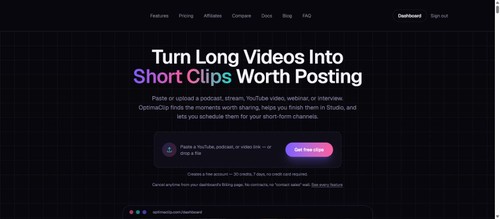
OptimaClip watches your whole podcast, stream VOD, or YouTube video and pulls the moments actually worth posting, each with a virality score and the reasoning behind it. OptimaClip Studio, a chat-driven timeline editor, then finishes the job: transitions, music, on-frame caption editing, your own footage, and a cover-image picker, no CapCut round-trip required. Every clip is auto-captioned and reframed to 9:16, and finished clips can be scheduled straight to YouTube Shorts, TikTok, Instagram Reels, Facebook, X, Threads, LinkedIn, and Bluesky.
Built for streamers, podcasters, clippers, and agencies who want clipping, captions, scheduling, publishing, and a full editor in one login instead of three stitched-together tools. Plans start with a free 30-credit, 7-day trial (no credit card), then $19-$79/month based on volume and team needs.
At a glance
Software information
Industries served, licensing and the support OptimaClip provides.
Capabilities
OptimaClip features
The full feature set, grouped by module.
AI Video Generator Software
- Advanced Editing Tools
- AI-Powered Scene Selection
- Analytics & Performance Insights
- Auto-Subtitles & Captioning
- Custom Branding
- Customizable Characters & Avatars
- Data Privacy & Security
- Format Customization
- Image-to-Video Generation
- Integration
- Lip-Syncing & Facial Animation
- Multilingual Support
- Pre-Built Templates
- Stock Asset Integration
- Text-to-Video Generation
- Video Length Control
Plans
OptimaClip pricing
- 200 credits per month
- AI Clipping Agent + auto-captions
- 1 brand template + Clip Planner AI tool
- 500 credits per month
- OptimaClip Studio chat-driven timeline editor
- Scheduling and multi-platform publishing
- 1000 credits per month
- Unlimited brand templates
- 5 team seats and client workspaces
Works with
Integrations
OptimaClip connects with the tools your team already uses.
Media
Screenshots & video