Hypersay Studio
Deployment
Overview
About Hypersay Studio
Stream from your browser
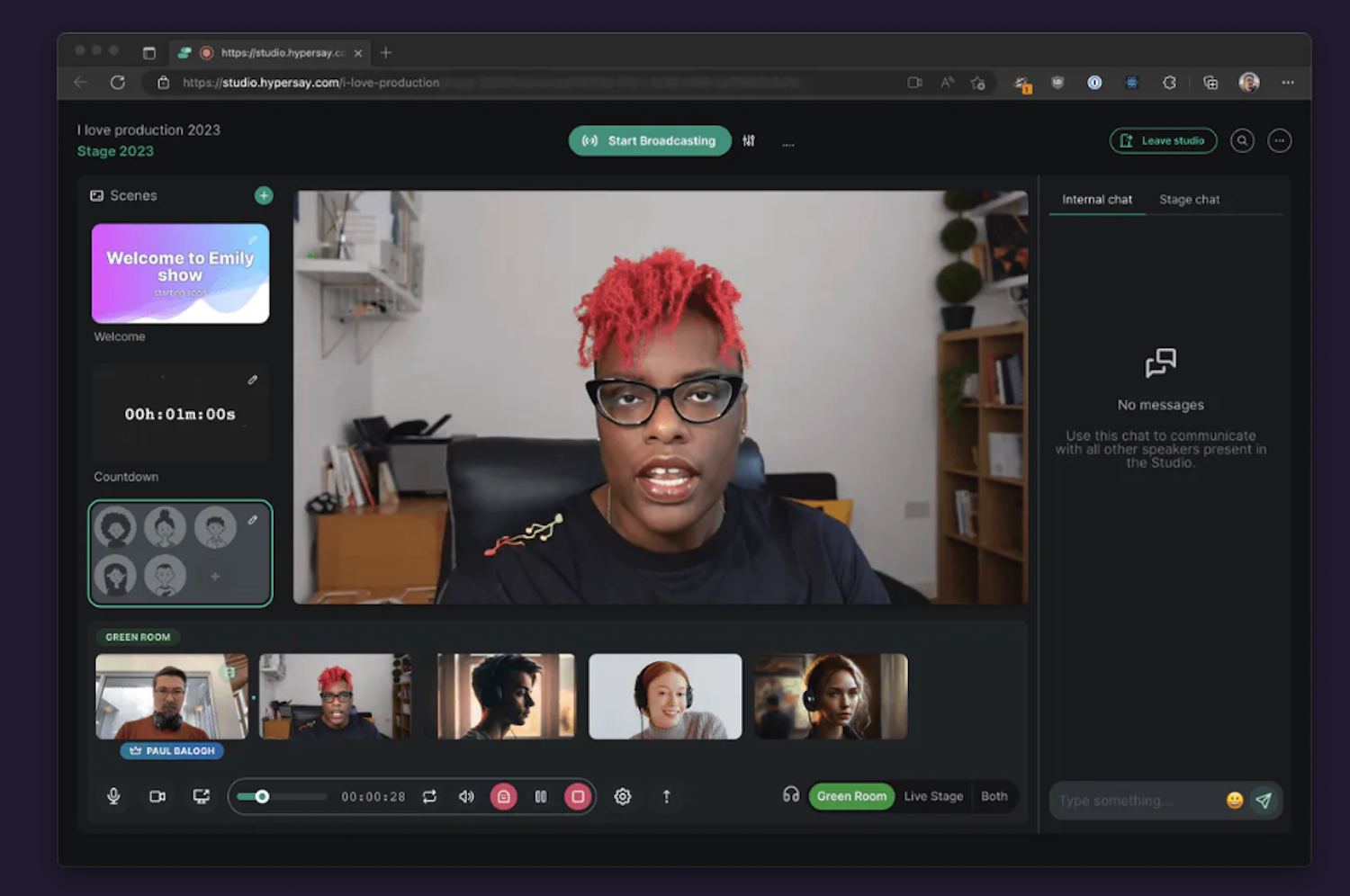
Hypersay Studio lives in your browser. There’s no app to install, no admin permissions required. Just open a Hypersay Studio, share a link with your speakers and go live. Easy!
Multi-cast
Stream to one or more locations at the same time. We support scenarios where you stream to another Hypersay Event but also to Youtube Live and Facebook Live at the same time. All through multi-cast RTMP.
Green room
Speaker management is hard. Are they connected? Does their microphone work? Headphones on? Camera? Can they share their slides? Manage and check all these situations from the safety of the green room before promoting a speaker to the live scene.
Ghost-sharing
Screen-sharing at a distance! With Hypersay Events you can share your screen on the live stage without yourself being present on the stage. Do it from the safety of the green-room. Excellent for scenarios where a speaker wants you to manage their slides.
Dynamic scenes
We support various scenes.
At a glance
Software information
Industries served, licensing and the support Hypersay Studio provides.
Industries
- Events-services
Licensing
- Proprietary
- Quote Based
- Free version
Support
- Live Chat
- Phone
- 24x7 Support
Training
- Webinar
- In-person
- Documentation
Capabilities
Hypersay Studio features
The full feature set, grouped by module.
Plans
Hypersay Studio pricing
Media
Screenshots & video