Hubspot Meeting

4.3 (6 Reviews)|Write a Review|Claimed profile
United States HQFounded 2005

Deployment

Web-based

Overview

About Hubspot Meeting

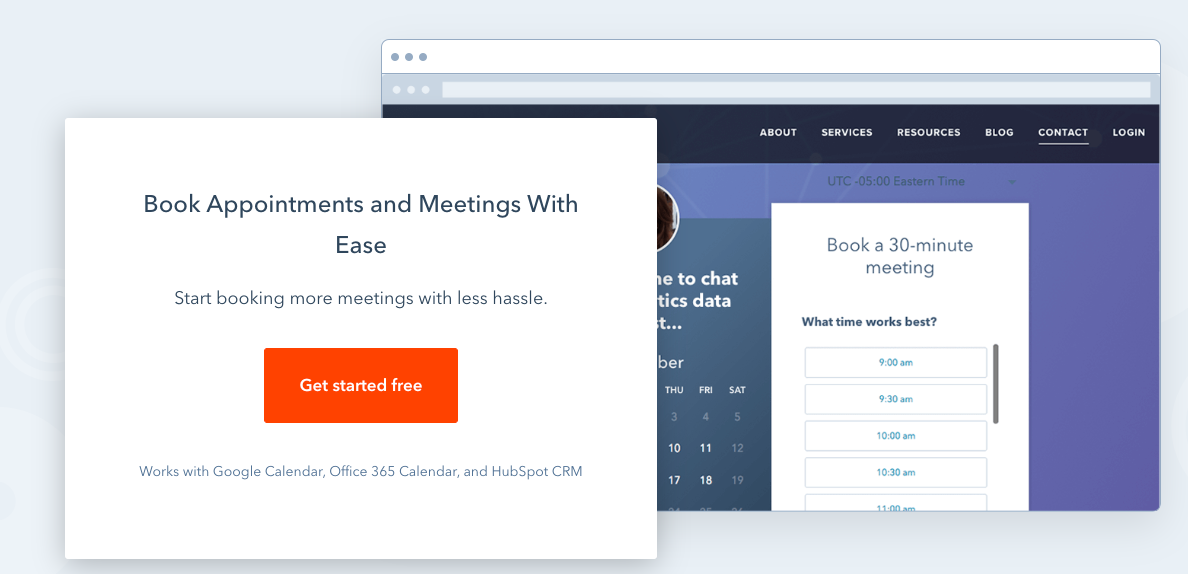
HubSpot’s meeting scheduler automatically syncs to your Google or Office 365 calendar, so existing and prospective customers can always find times that work for them and you. In a different time zone? HubSpot's free meeting scheduler makes international meeting scheduling easy by syncing with everyone's time zones automatically. Send group meeting links to allow prospects to schedule time with more than one person in your organization. No designated sales rep? Set up a round-robin meeting scheduler so prospects can book appointments with the sales rep whose availability works best for their schedule.

As prospects schedule meetings, they’ll automatically be added to your HubSpot contacts database, so your database grows and stays organized. Schedule more meetings and generate more leads by embedding your calendar on your website—no coding needed. Then sit back as prospects conveniently schedule meetings with you directly on your website.

At a glance

Software information

Industries served, licensing and the support Hubspot Meeting provides.

Industries

  • Human-resources

Licensing

  • Proprietary
  • Monthly Payment
  • Annual Subscription
  • Quote Based

Support

  • Email
  • Live Chat
  • Phone
  • 24x7 Support

Training

  • Webinar
  • In-person
  • Documentation

Knowledge Base

  • Help Guide
  • Video
  • Blog
Languages (1)
English

Review analytics

What customers report

4.3
Based on 6 verified reviews
Ease of use4.7
Features & functionality4.5
Customer support4.7
Value for money4.0
Integrations4.0

What users like the most

  • Hubspot Meetings stands out for its remarkable ease of use and its ability to keep track of everything effortlessly. From the moment users start navigating the platform, the intuitive interface guides them seamlessly through the scheduling process, making it a breeze to set up appointments and manage various tasks.
  • This is one of the best software and very easy to use with basic functions. Very efficient and effective and helps to make your work organized in terms of dealing with your customers for B2B and B2C as well. The intuitive interface streamlines
  • The stellar customer support service provided by HubSpot adds an extra layer of satisfaction.

What users like the least

  • Hubspot Meetings, while offering a range of valuable features, may be perceived as a bit expensive for small businesses.
  • It is working perfectly, but wanted to know how to get reminder notifications.
  • It is a little expensive so It's crucial to carefully assess the cost and the value that HubSpot can bring to your company before settling on a plan.

What users say

Review Analytics of Hubspot Meeting

Every review is verified through Goodfirms before it's published.

4.36 Verified Reviews
Ease of use4.6
Features & functionality4.5
Customer support4.6
Value for money (1 review)4.0
Integrations (1 review)4.0
Review Summary
Summarized from 6 verified reviews · Updated September 2026
Hubspot Meeting is praised for its ease of use, calendar integration, and ability to streamline scheduling and client communication tracking. The software offers diverse features like custom appointment types and team scheduling that users find valuable. However, reviewers consistently note a steep learning curve for non-technical users, with the interface complexity and numerous features potentially causing initial confusion. Cost is mentioned as a consideration for some businesses.
✦ AI-generated summary. May not reflect every review.
Detailed Reviews of Hubspot Meeting
Sort ByWrite a Review

What reviewers mention most

AnonymousVerified Review
Posted on Jan 19, 2024

“HubSpot Meetings simplifies the meeting arrangement process for internal and external stakeholders”

Overall rating5.0
Ease of use5.0
Features & functionality5.0
Customer support5.0
Registration is a breeze, requiring only an email address or the convenience of using an existing Google account. Upon signing up, HubSpot guides you through a brief setup process, seeking information such as company type, role, and number of employees.

Navigating the HubSpot Meetings dashboard, one key feature is scheduling meetings. The creation of scheduling pages, categorized into one-on-one, group, or round-robin options, provides flexibility for various meeting structures. Whether it's a private discussion, a group session, or automated sharing based on specific criteria, HubSpot Meetings caters to your needs. The platform facilitates meetings with external contacts through your business website. Embedding your HubSpot calendar requires no coding, allowing visitors to arrange meetings directly. Additionally, sharing your calendar link in emails streamlines contact-initiated meetings.
AnonymousVerified Review
Posted on Jan 19, 2024

“The HubSpot Meetings app takes away a lot of the stress involved in scheduling meetings with fellow workers or external prospects.”

Overall rating5.0
Ease of use5.0
Features & functionality5.0
Customer support5.0
Navigating the HubSpot platform can be a bit intricate, particularly for newcomers. The software is feature-rich, consolidating various functionalities into a single package, which may initially pose challenges in terms of seamless navigation. It's not uncommon to find oneself mixing up features, leading to a bit of confusion. However, with consistent use, users are likely to become more adept at maneuvering through the interface.

On the positive side, the software's user-friendly navigation stands out, making it notably easier compared to some competitors in the market. Personally, I appreciate the wide array of integrations and capabilities that HubSpot brings to the table.

The ease of use and the enjoyable interface contribute to a positive user experience.
AnonymousVerified Review
Posted on Dec 1, 2023

“Hubspot Meeting is excellent, always smooth, never crashes and it's very easy to understand.”

Overall rating4.0
Ease of use5.0
Features & functionality4.0
Customer support5.0
Amazing software with tons of great features. I have not worked out every function as yet, however, it has been a game changer seeing who is opening emails. My experience with Hubspot has been exceptional. By far this one is the simplest to set up and use software. The software is really easy to use and allows us to access the data we need when we need it. The software is working just fine. No issues I am able to create reminders. I see there is so much more for me to use in the future when I need to grow too.
Deepak Gupta, Owner at Socialmediaqa.comVerified Review
Posted on Jul 18, 2023

“Hubspot Meeting: The Optimal Scheduling Software for Industry Standards”

Overall rating4.0
Ease of use5.0
Features & functionality5.0
Customer support5.0
Socialmediaqa.com relies on Hubspot Meetings as a powerful scheduling software that has revolutionized our workflow. With its diverse range of features, including custom appointment types and smooth calendar integration, managing appointments and coordinating our team's schedule has become a breeze. While the initial learning curve may be daunting for some users, the benefits far outweigh the challenges. Hubspot Meetings has truly become an indispensable asset for our Social Media QA endeavors, streamlining our processes and enhancing overall efficiency.
Megan Kriss, Chief Editor at Hunting MarkVerified Review
Posted on May 12, 2023

“For industry standards, Hubspot Meeting is ideal as scheduling software”

Overall rating4.0
Ease of use4.0
Features & functionality4.0
Customer support4.0

We Hunting Mark use Hubspot Meetings. It offers a range of features to help businesses streamline their scheduling processes, such as team scheduling and custom appointment types. HubSpot’s meeting scheduler automatically integrates with Google Calendar or Office 365 calendar. But if you are not tech savvy or skillful in handling software, this application might turn out to be a disaster as adapting to it will become overwhelming for new users to learn.

Simonas Steponaitis, Marketing Manager at DoFastingVerified Review
Posted on Aug 26, 2022

“Hubspot meetings has helped us a lot to keep a track on the client communications”

Overall rating4.0
Ease of use4.0
Features & functionality4.0
Customer support4.0
Value for money4.0
Integrations4.0

We DoFasting use Hubspot. We use Hubspot for our email and meeting schedules. It's helped us a lot to keep track of our client communications and stay organized. We've been using Hubspot for a little over two years. We use Hubspot for our email and meeting schedules daily. The pros of Hubspot are that it's easy to use and helps keep track of communications with clients. The cons are that it can be a bit expensive for some businesses.

Capabilities

Hubspot Meeting features

The full feature set, grouped by module.

Scheduling Software

  • Appointment Scheduling
  • Automated Scheduling
  • Calendar Management
  • Employee Scheduling
  • Online Booking
  • Reports & Analytics

Meeting Room Booking System

  • Automated Processes
  • Internal Meetings
  • Multi-Location
  • Online Booking
  • Real-Time Availability

Plans

Hubspot Meeting pricing

Free Version
No
Payment Frequency
Monthly Payment, Annual Subscription, Quote Based
Preferred Currency
USD ($)

Media

Screenshots & video