



CPTRAX for Windows
Deployment
Best for
Overview
About CPTRAX for Windows
Server File Activity Tracking - Audit who is creating, accessing, moving, and deleting your files and folders. Track file permission changes. Real-time alerts about critical file activities. Malicious activity containment (Ransomware, mass file deletes, etc.) Workstation File Activity Tracking - Audit who is copying files to USB or other removable drives. Track who is uploading files from a browser or via FTP. Block files from being created on USB/removable device. Email alerts when a removable device is connected.
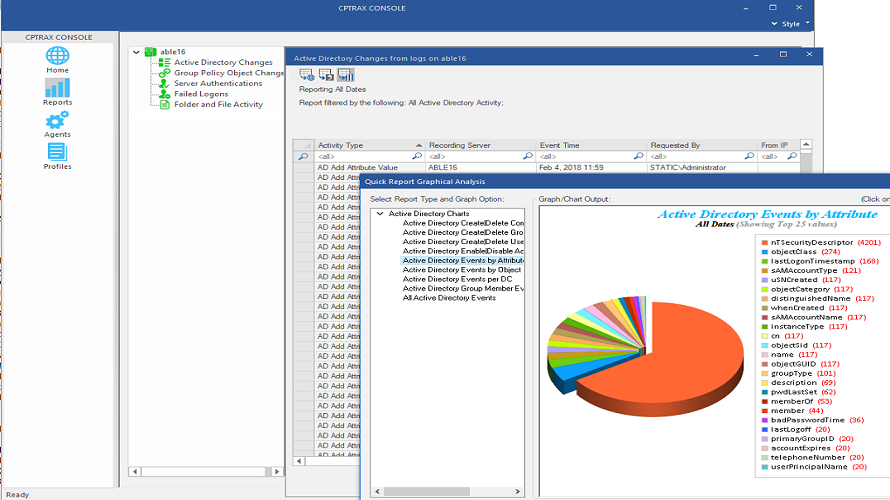
Active Directory Auditing - Keep audit logs and get real-time alerts of important Active Directory changes without dealing with SACLs or Windows Event Logs. Server Authentication Auditing - Track authentications into Windows Servers and Citrix sessions. Review all failed logon attempts. Workstation Logon/Logoff Tracking - Get visibility on workstation logons/logoffs, including locks, unlocks, and password changes. Review all failed logon attempts.
At a glance
Software information
Industries served, licensing and the support CPTRAX for Windows provides.
Licensing
- Annual Subscription
Support
- Phone
Training
- Help Guides
- Video Guides
- Blogs
Knowledge Base
- Help Guides
- Video Guides
- Blogs
Capabilities
CPTRAX for Windows features
The full feature set, grouped by module.
Plans
CPTRAX for Windows pricing
Media
Screenshots & video
This profile is not fully claimed
Do you own or represent CPTRAX for Windows? Verify your business email to claim and manage this Goodfirms profile.